Card commands
Name the card family and required APDU or memory operation. Reader recognition by the host is only the first part of the sample test.
PC/SC / APDU / INTEGRATION PATH
Start here when your application already communicates through PC/SC and APDU commands. Choose the card operations first, then the finished reader or OEM module that fits the installation.
See the matching modelsDEFINE THE APPLICATION
A USB connector alone does not define the application interface. A PC/SC workflow uses the host smart-card stack; an SDK workflow may use a manufacturer API instead. Changing between them can require application changes. Compare the exact configuration, with the cards and commands your project actually uses.
Name the card family and required APDU or memory operation. Reader recognition by the host is only the first part of the sample test.
PC/SC Zero Standard and Lite have different protocol coverage. The manufacturer excludes ISO/IEC 15693 from Lite; specify the tier in your purchase requirement.
Choose a finished USB enclosure or an OEM module. Ask for the drawing and validate the actual panel, card placement and cable arrangement.
THE HARDWARE
Protocols and connections depend on the selected configuration. Review the model details.
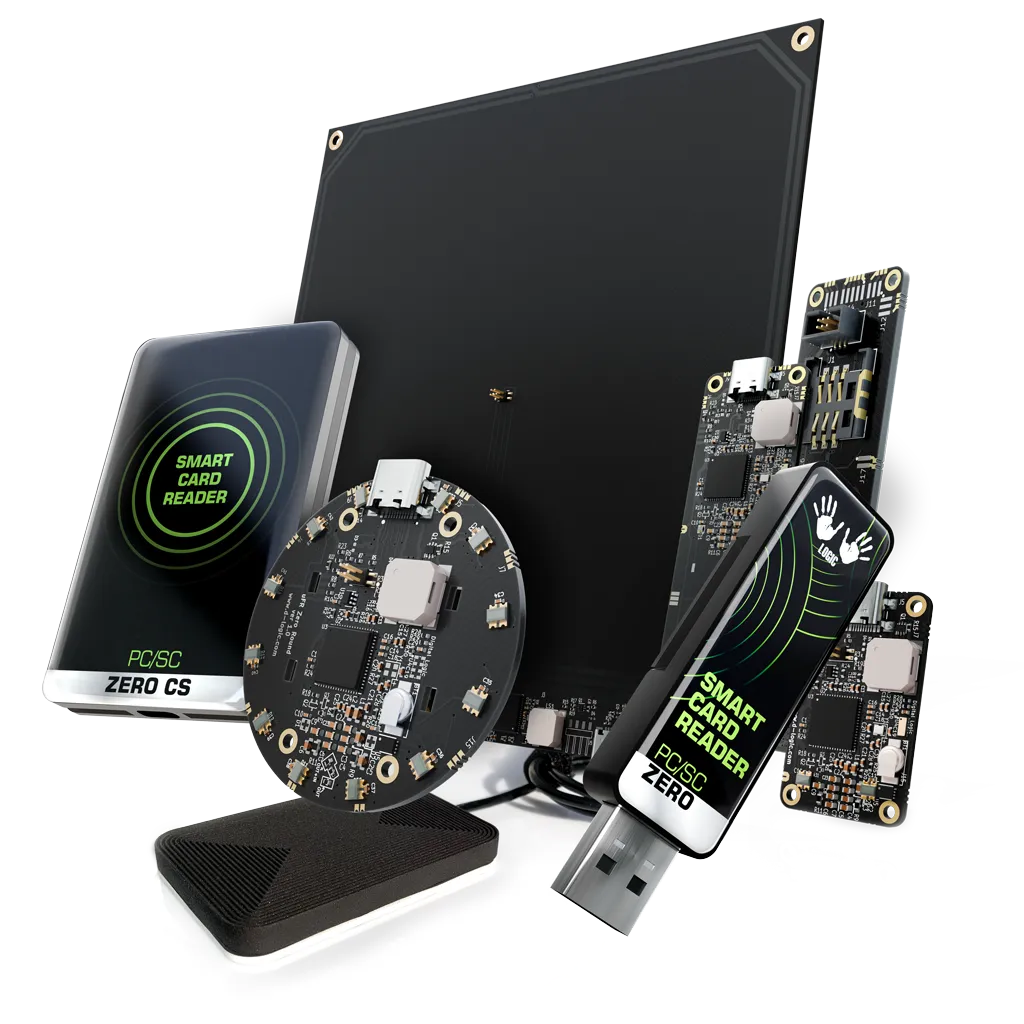
PC/SC Zero
A USB CCID reader for applications that already use the PC/SC smart-card stack.
PC/SC Zero
A card-size USB CCID reader for existing PC/SC smart-card applications.
PC/SC Zero
An XL OEM module for embedded projects using the PC/SC host stack.
MAKE THE INQUIRY SPECIFIC
No. Confirm the selected reader’s protocols and firmware, then test the intended card operation in the target application.
No. The manufacturer states that Lite excludes ISO/IEC 15693. Keep the firmware tier explicit in the inquiry.
Tell us your card type, platform and quantity. We’ll help narrow the options.