INTERFACE COMPARISON / SELECTION
PC/SC vs SDK vs Keyboard NFC Readers: Which Fits?
Compare PC/SC Zero, µFR Zero and JustID by software workflow, card standards and integration effort. Choose the application path before choosing the USB reader.
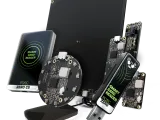 PC/SC Zero USB Dongle: CCID NFC Smart Card Reader PC/SC Zero USB Dongle: CCID NFC Smart Card Reader | 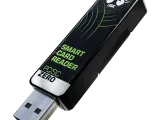 µFR Zero USB Dongle: NFC Reader Writer with SDK µFR Zero USB Dongle: NFC Reader Writer with SDK | 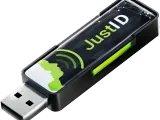 JustID USB Dongle: NFC UID Keyboard-Emulation Reader JustID USB Dongle: NFC UID Keyboard-Emulation Reader | |
|---|---|---|---|
| Software path | PC/SC / APDU | Manufacturer SDK / uFCoder API | USB HID keyboard / CDC ACM serial output |
| Main workflow | Smart-card host integration | Read/write application development | Card UID input |
| Supported standards | ISO/IEC 14443 A/B, ISO/IEC 15693, ISO/IEC 7816 APDU | ISO/IEC 14443 A/B, ISO/IEC 15693 | ISO/IEC 14443 A/B; ISO/IEC 15693 with Standard firmware |
| Connection | USB | USB | USB |
| Configuration | USB dongle; Standard configuration | USB dongle; OEM variant separately selectable | USB dongle; firmware tier selected separately |
Choose PC/SC for an existing smart-card stack, µFR SDK for controlled custom operations, and JustID for card-number input.
These three readers can all fit a USB-based project, but they expose different application workflows. The comparison is between the specified manufacturer configurations, not a hardware benchmark or a claim of drop-in replacement.
Choose the software contract first
PC/SC Zero USB Dongle is the candidate when existing software uses the smart-card stack and APDU commands. An application must still implement the right card operations. This page compares the Standard configuration, not Lite.
µFR Zero USB Dongle is the candidate for a custom program built around the manufacturer SDK. Evaluate library, firmware and the required card commands together.
JustID is the candidate when an existing field should receive a card UID. Choose the representation and firmware tier before connecting it to existing records. Keyboard output is not a replacement for a protected-data read or tag-writing workflow.
Confirm the variant before comparing price
The manufacturer states that PC/SC Zero Lite does not support ISO/IEC 15693; JustID Standard adds ISO/IEC 15693 UID reading to Lite. “Zero” or “JustID” alone is therefore too broad for a purchase specification. Name the firmware, connector and finished/OEM configuration in the request.
A practical sample acceptance test
Run the existing application on its target host with the real cards. Record whether it detects the reader, completes the operation and handles reconnects and repeated presentations. A matching frequency or USB connector is not evidence of software compatibility.
Send your software and card requirements or use the USB selection checklist.
Manufacturer references
Checked 1 October 2026: PC/SC Zero Standard, µFR Zero USB Dongle, JustID tiers and PC/SC Zero Lite limitation. Commercial terms are confirmed for the requested configuration.
Can I swap these readers without changing software?
Not on the basis of USB alone. Verify the software API, firmware, card commands and accepted output on a sample.
Which supports ISO/IEC 15693?
The reviewed µFR Zero and PC/SC Zero Standard listings include ISO/IEC 15693. JustID requires Standard firmware for its UID; PC/SC Zero Lite omits the standard.