D-Logic hardware · Independent distribution & integrationThe right interface. The right reader.

Applications

Test the reader inside the equipment.

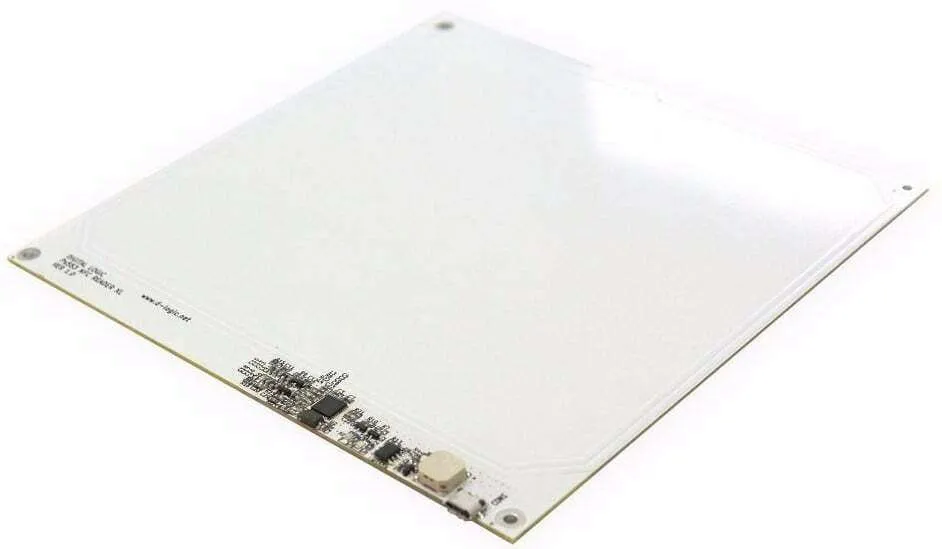
Integrate a reader module into a kiosk, fixture or equipment enclosure while retaining the software path the application needs.

Configuration boundaries

The listed XL OEM selections use USB. TTL UART, RS232 and other variants require a separate selection and confirmation. Panel material, nearby metal, power and card placement affect the installed result; a catalogue distance is not an installation guarantee.
Prepare an OEM integration brief

Send your project requirements and mark unknown items for confirmation. Keep the selected configuration and sample evidence together before approving a batch.

  • Software and card operation

    Specify the card or tag, required read/write or command sequence, expected result, host OS, CPU architecture and library versions. Describe access requirements without including card keys or passwords in the inquiry.

  • Board, power and installation

    Describe available space, panel material, card position, proposed power and cable route. Request the current drawing and electrical requirements for the quoted board and confirm any optional components separately.

  • Sample acceptance

    Agree the actual cards, operation, trial conditions and pass criteria. Repeat the operation in the final enclosure and after reconnection or restart; record the observed results and reproducible failures.

  • Purchase plan

    State sample and later quantities, destination and requested schedule. Configuration, supplied items, availability, documents and commercial terms require quotation confirmation.

Use the full OEM requirements and sample checklist →

Choose the software path to evaluate

Manufacturer SDK

For manufacturer SDK development, evaluate the selected USB configuration with the required API, firmware and host library. TTL UART and RS232 variants require separate confirmation.

PR-106

Discuss this OEM model

PC/SC

For an existing PC/SC application, evaluate USB CCID with the actual APDU sequence, cards and selected firmware. Reader detection alone does not confirm the application operation.

PR-203

Discuss this OEM model

libNFC

For a libNFC application, evaluate the selected USB configuration with the target libNFC/libusb build and card operation. PR libNFC does not use the µFR SDK.

PR-403

Discuss this OEM model

OEM SAMPLE REQUIREMENTS

Make the OEM sample answer your installation questions.

Combine the card operation, host software and enclosure conditions in one brief. Select the exact USB board and agree observable checks before a pilot batch.

ILLUSTRATIVE PROJECT BRIEF

A kiosk prototype moving to sample evaluation

Card and application
Identify the authorized sample card and expected operation result; card detection alone is not acceptance.
Host and software
State the OS, CPU, firmware and library versions. Choose manufacturer SDK, PC/SC or libNFC for the proposed module.
Board and enclosure
Provide available space, panel material and thickness, card position, nearby metal, power source and cable route. Confirm the current drawing and connector revision.
Evaluation and purchase
Specify expected checks in the final enclosure, sample and later quantities, destination and project stage. Mark unknowns for review.

This is a requirement example, not a customer case or device test. The selected PR-106, PR-203 and PR-403 configurations use USB. TTL UART and RS232 variants, SAM and other options require separate confirmation. PR libNFC uses libNFC/libusb, not the µFR SDK; no catalogue reading distance guarantees the installed result.

Agree three sample checks

  1. Complete the software operation

    Use the exact sample card with the recorded host, library and firmware. For PR-106 evaluate the required SDK operation; for PC/SC use the actual card-command sequence; for PR libNFC use the target libNFC/libusb build. Record expected and observed results.

  2. Repeat in the final enclosure

    Record panel, antenna position, card orientation, nearby metal, power and cable arrangement. Repeat the required operation in the intended card presentation area. Keep failures and test conditions; a bench result covers that setup.

  3. Check restart and the quoted board

    Repeat after USB reconnection and application restart. Confirm board revision, connector, supplied items and any optional components against the quotation. Agree acceptance and sample quantity before discussing a batch.

OEM NFC integration project brief

Add what is known and mark unknowns. Keep passwords, card keys and customer data out of the inquiry. The checklist is added only when you choose to insert it.

  • Card / operation / expected result / OS and CPU / library and firmware: ___
  • Selected USB module / board revision / drawing / power and connector: ___
  • Panel material and thickness / card and antenna position / nearby metal / cable route: ___
  • Final-enclosure and reconnect checks / sample and later quantities / destination / project stage: ___

Related guides

Compare PC/SC, SDK and keyboard input →

Software and installation paths

See the procurement process →

Prepare your next step

LET’S FIND YOUR FIT

A reader for your project, not the other way around.

Tell us your card type, platform and quantity. We’ll help narrow the options.

Tell us about your project